
When engineering high-draw workspace power distribution, deciding between a clamp-on vs under-desk power strip determines both electrical safety and functional surface clearance. Mounting power directly to your desk frame prevents trailing cord hazards, but choosing the wrong orientation introduces cable pinch points, chassis ground risks, or unsightly clutter.
Table of Contents
1. Electrical Architecture: Thermal Dissipation & Joules
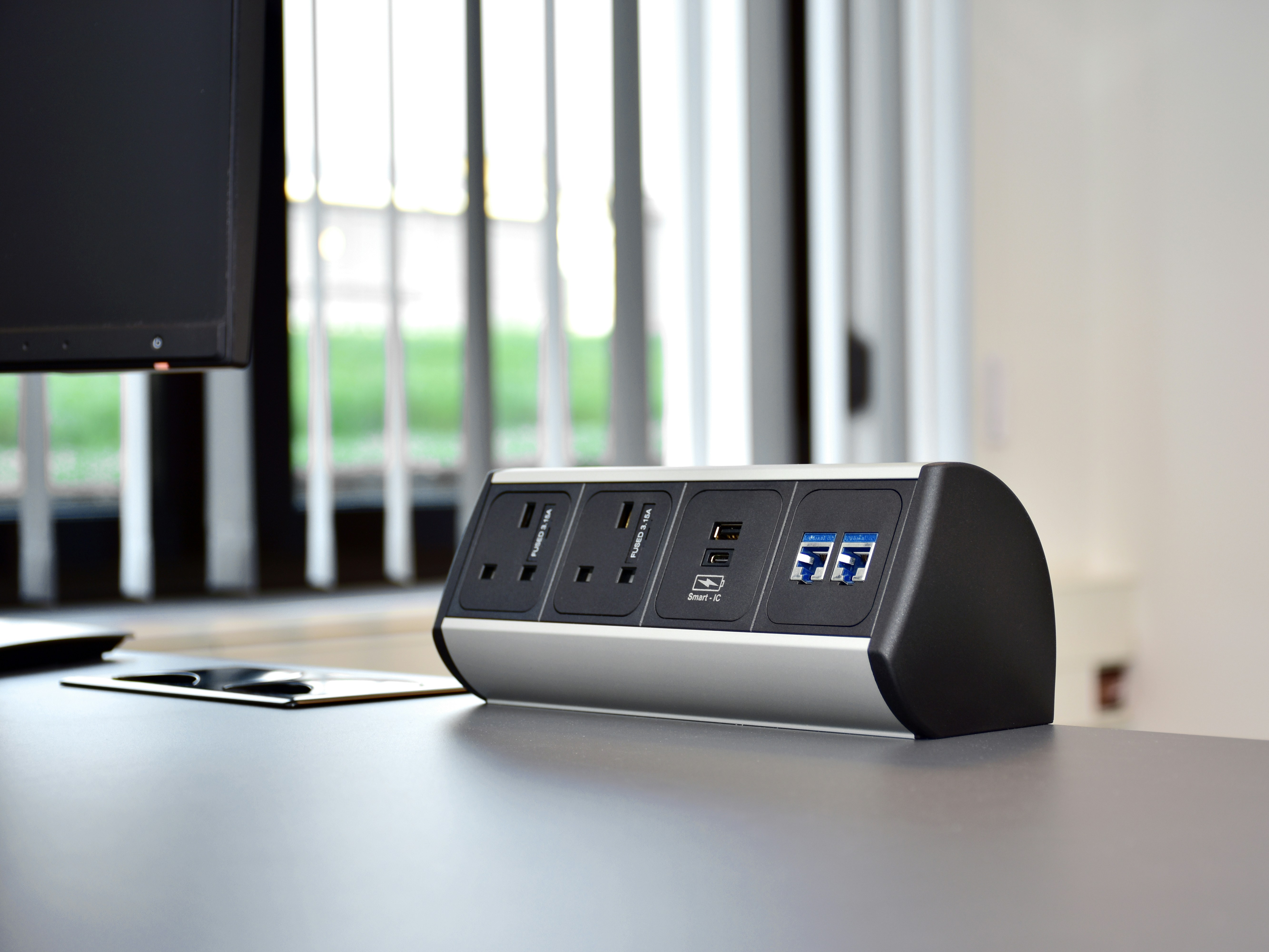
Deploying multi-monitor arrays, laptops, and motorized standing desks requires evaluating continuous amperage draw. A standard 15-amp branch circuit delivers 1,800 watts at 120 volts. Heavy workloads involving dual workstation towers and display backlights generate sustained thermal loads across power strip busbars.
When selecting a clamp-on vs under-desk power strip, consider cooling airflow. Balancing thermal dissipation in a clamp-on vs under-desk power strip configuration prevents internal surge components from degrading prematurely under sustained continuous workloads.Clamp-on units sit in open ambient air, dissipating heat efficiently during high-current charging cycles. Conversely, under-desk power strips enclosed within dense cable raceways require aluminum extrusion housings to prevent thermal buildup and nuisance circuit tripping.
2. Clamp-On vs Under-Desk Power Strip: Desk Clearance
Clamp-on edge mounts provide immediate top-side access to AC receptacles and high-wattage USB-C PD ports. This makes them ideal for hot-plugging testing gear, portable audio interfaces, and external storage drives without crawling beneath the desktop.
However, edge clamps consume between 2 to 3.5 inches of usable perimeter depth. For compact 48-inch or 55-inch tabletops, a top-mounted clamp encroaches on monitor arm clamp zones or desk mat positioning. An under-desk mounted strip preserves completely flush tabletop borders, isolating all power bricks out of direct sight.
3. Dynamic Sit-Stand Cable Strain Relief
Motorized adjustable desks introduce mechanical movement that fixed desks avoid. Evaluating a clamp-on vs under-desk power strip setup requires analyzing the cord travel loop between lowest sitting height and highest standing elevation.
Mounting your primary surge strip directly beneath the desktop frame ensures that all monitor power bricks, desk motors, and PC lines travel synchronously with the desk surface. Only a single heavy-gauge 14 AWG grounded power supply cable needs to bridge from the moving frame to your wall receptacle. In our technical evaluation of under-desk cable management trays, securing the power strip to structural steel eliminates tension fatigue on individual DC barrel plugs.
4. Technical Comparison Matrix
Here is how clamp-on and under-desk mounting mechanisms compare across mechanical, electrical, and ergonomic benchmarks:
| Design Metric | Clamp-On Desk Power Strip | Under-Desk Track/Screw Mount |
|---|---|---|
| Top-Side Visual Footprint | High (visible on desk edge) | Zero (concealed under surface) |
| Hot-Swap Accessibility | Instant arm-reach access | Requires reaching under desk |
| Heavy Transformer Retention | Prone to lever pull & sag | Supported against gravity by tray |
| Desktop Modification | Zero drilling (padded C-clamp) | Requires wood screws or brackets |
| Surge Clamping Voltage | Standard (900 – 1500 Joules) | Commercial (1500 – 4000 Joules) |
Comparing an integrated clamp-on vs under-desk power strip framework confirms that workstation power setups benefit most from a dual-tier strategy: housing continuous high-draw power bricks in an under-desk channel while reserving a low-profile edge clamp for intermittent charging.
5. Installation & Desk Frame Protection
When installing a clamp-on unit, ensure the clamp bracket includes high-density EVA foam or silicone rubber padding. Raw steel clamps torqued directly onto veneered particleboard or soft solid wood (such as pine) will leave permanent pressure indentations and crack laminate edging.
For under-desk configurations, verify your wood screw depth before drilling. Most commercial standing desk tabletops measure between 0.75 and 1.0 inch in thickness. Never use mounting screws longer than 0.5 inches (12mm) to prevent puncturing the finished top surface. When combining this with our guide on power strip vs GaN charging stations, ensure at least 2 inches of side clearance around high-wattage bricks to prevent heat accumulation.
For structural crossbar and frame stability rules, reference our deep dive on standing desk crossbar stability to avoid mounting power accessories directly over lifting support brackets.
Frequently Asked Questions
Can a clamp-on vs under-desk power strip damage my standing desk motor?
No. Standard clamp-on power strips weigh under 2 pounds. However, ensure the power cord that feeds the strip has sufficient slack so it does not pull taut or catch on the motorized leg columns during vertical travel.
What surge protection rating is required for dual-monitor setups?
For expensive workstation setups featuring OLED or high-refresh gaming displays, choose a surge suppressor rated for at least 1,500 to 2,000 Joules with a clamping response time under 1 nanosecond according to OSHA electrical workstation safety parameters.
Is it better to mount a clamp-on vs under-desk power strip on solid wood desks?
Both work effectively on solid wood. Solid hardwoods like oak, walnut, and maple support direct wood screws exceptionally well for under-desk mounting without stripping, and easily withstand high torque from clamp-on brackets.