
Table of Contents
Under-Desk Cable Tray: Structural Mechanics and Thermal Dissipation
Deploying a motorized sit-stand workstation introduces complex wire routing variables that standard static office desks never encounter. Without a rigid under desk cable tray anchored beneath the primary work surface , heavy transformer bricks, multi-display video cords, and peripheral grounding cables dangle into the lower travel corridor, creating dangerous snag hazards during high-velocity elevation strokes.
Workstation engineers typically evaluate two primary structural designs: open-air electro-galvanized welded wire baskets and enclosed cold-rolled sheet metal raceway channels. Deciding on the optimal under desk cable tray requires balancing continuous convective thermal dissipation against total enclosure concealment and structural deflection limits under heavy charging loads.
| Engineering Metric | Open Wire Mesh Basket | Solid Sheet Metal Channel |
|---|---|---|
| Thermal Dissipation | 360-degree passive convection airflow | Trapped ambient boundary layer heat |
| Cord Exit Flexibility | Drop leads through any grid opening | Fixed stamped cutout grommet exits |
| Visual Concealment | Partial visibility of internal coils | 100% total opaque cord concealment |
| Dust & Debris Buildup | Zero particulate accumulation | High dust settling inside trough |
Thermal Dissipation and High-Wattage GaN Charging Loads
Modern production desks house substantial power supplies, including 140W USB-C GaN laptop adapters, 240W external display power bricks, and localized docking hubs. Under sustained computing workflows, these power supplies reach surface operating temperatures exceeding 50 degrees Celsius. When packed tightly into an enclosed metal trough, the absence of natural air circulation creates thermal accumulation that can throttle fast-charging circuitry.
Hardware Recommendation: Under Desk Cable Tray (Wire Mesh)
When selecting an under desk cable tray for high-wattage power supplies and multi-outlet surge strips, open steel wire raceways maintain passive convective cooling while preventing sag under heavy loads.
An open-grid welded steel under desk cable tray allows heated air to rise and dissipate freely away from electrical components. The open mesh design maintains unrestricted airflow across heavy transformers while providing dozens of tie-down crossbars to anchor industrial hook-and-loop straps, ensuring heavy bricks remain completely stationary during rapid sit-to-stand transitions.
Load Deflection, Span Rigidity, and Desktop Mounting Mechanics
Under-desk cable trays carry significant dead weight once fully loaded with surge protectors, power bricks, video interconnects, and dynamic slack coils. A standard multi-monitor engineering payload frequently exerts 10 to 18 pounds of concentrated downward pull along the underside of the desktop substrate.
Mounting an under desk cable tray requires matching fastener selection to your desk core material:
- Solid Hardwood Tops (Oak, Walnut, Ash): Pre-drill pilot holes to 70% of screw shank diameter and fasten with heavy-gauge #10 wood screws for superior mechanical retention.
- Engineered Particle Board & MDF: Use coarse-thread deep-bite cabinet screws or install threaded brass inserts to prevent core stripping under sustained dynamic vibration.
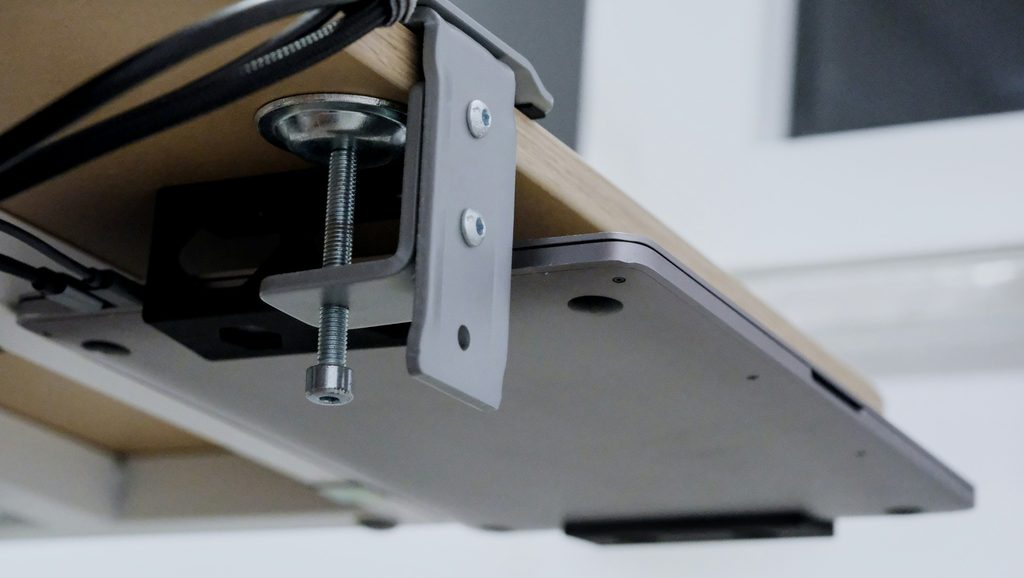
- Honeycomb Core & Hollow Desktops: Standard direct wood screws will tear through the paper-thin outer veneer. Hollow tops require clamp-on tray brackets or through-desk bolt anchors with backing reinforcement plates to distribute tensile stress safely.
To eliminate mechanical sag across wide 60-inch to 72-inch workstations, place primary mounting brackets no more than 28 inches apart. Ensuring zero tray flex prevents accidental contact with under-desk crossbars and motorized lifting drive shafts.
High-Speed Data Signal Isolation and Electromagnetic Separation
A critical engineering failure in custom workstation builds is bundling high-voltage 120V/240V AC electrical cords directly flush against unshielded Category 6 Ethernet, USB4, or DisplayPort lines. Parallel high-voltage runs create electromagnetic interference that manifests as display flickering, dropped network packets, and audio ground loop hum.
When routing cables through an under desk cable tray, practice physical separation. Run your high-draw AC electrical lines and power bricks along the rear channel wall, while isolating delicate video and peripheral data cords along the forward perimeter. For setups incorporating articulated vertical spines, check our mechanical routing analysis on cable spine vs magnetic channel systems to preserve clean signal separation all the way down to floor receptacles.
Dynamic Service Loop Tension and Stroke Calibration
While the under desk cable tray serves as the central stationary clearinghouse for all desktop equipment, motorized desks require calibrated dynamic slack between the moving tray and static wall outlets. Rigidly clamping cords without calculating vertical stroke travel risks snapping connector heads or ripping surge protectors from their mounts when elevating the desk to full standing height.
To establish safe dynamic travel, refer to the authoritative mechanical standards published by the National Electrical Code regarding electrical raceway clearances and conduit strain relief. Always measure dynamic cord drop at maximum desk elevation, maintaining a 15% slack buffer in the primary supply lead. For complementary multi-outlet anchoring strategies, cross-reference our field tests on standing desk power strip mounting methods.
Deploying a heavy-gauge under desk cable tray beneath your workstation desktop establishes an impenetrable physical barrier against mechanical cord snagging, optimizes high-wattage thermal cooling, and preserves clean workstation aesthetics across thousands of motorized elevation cycles.
Investing in a heavy-duty under desk cable tray protects delicate connectors while keeping high-power GaN bricks cool during long work sessions.